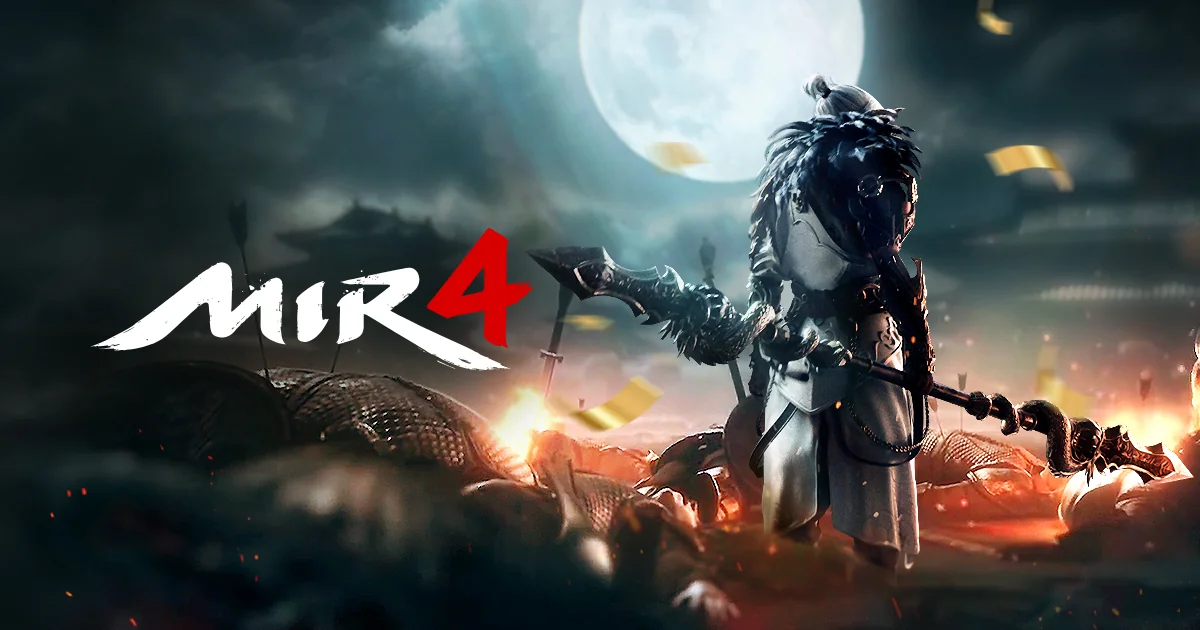
How to AFK MIR4 24/7 on an AFKPal cloud phone
MIR4 is a leave-on MMORPG. Move auto-combat, Darksteel mining, and long growth sessions to a dedicated AFKPal Android so your daily phone stays free.
MIR4 is supported on AFKPal
Install the official Google Play release on your dedicated AFKPal cloud Android, use the game's built-in farming features, and disconnect without stopping the cloud phone.
MIR4 is a leave-on MMORPG — and it runs on AFKPal
Wemade's MIR4 is an open-world K-fantasy MMORPG whose official growth loop is hunting, gathering, mining, and meditating. The client is meant to stay running: tap Auto-combat and the character fights nearby enemies while skills and potions in the quick slots fire automatically. That is in-game AFK, not an offline idle ticker.

MIR4 is listed among the games AFKPal has battle-tested. Instead of leaving it open on the phone you use all day — the usual segundo celular problem — install the official Google Play build on a dedicated AFKPal Android in the cloud and reconnect when you want to check progress.
Why MIR4 fits an AFKPal cloud phone
MIR4 progression is hours of auto-combat hunting, Darksteel and ore mining, gathering for Constitution, meditation for Inner Force, repeatable missions, clan windows, and inventory management. Running that on your daily phone occupies the screen, heats the device, consumes battery cycles, and gets in the way of calls, messages, work, maps, or other games.
With AFKPal, the game runs on another Android phone hosted in the cloud:
- Your main phone stays free. Closing the AFKPal viewer does not close the cloud phone.
- Leave-on AFK continues 24/7. The remote Android stays powered and online while you work or sleep. MIR4 still needs the official client running — this is leave-on AFK, not offline idle.
- No battery drain or gaming heat on your device. Your phone only streams the screen while you are connected.
- Your installation persists. The game, account, combat settings, and character stay on your dedicated cloud phone between sessions.
- You can check from anywhere. Reconnect from iOS, Android, or a modern browser.
- Google Play is available. Install the official Wemade listing rather than an unknown APK mirror.
How to install MIR4 on AFKPal
- Create or sign in to your AFKPal account and activate a cloud Android phone.
- Open the cloud phone from the AFKPal app or web dashboard.
- Launch Google Play and search for MIR4 by Wemade Co., Ltd. Confirm the package is
com.wemade.mir4global. - Install the game, download its additional files, and sign in to the Wemade account you want to use.
- Choose a continent and server. Official server time for SA is UTC-3 (Brazil); ASIA is UTC+8. Prefer a low-ping continent so the leave-on session stays stable.
- Create or load a character. If you are joining the current growth-specialized Boosting World server, official rules allow one character per account on that world (SA name: BSA041).
- Assign only the skills you want used automatically to quick slots, then tap Auto-combat. Auto-play is available for many quests; official encyclopedia notes that some gathering and mining missions cannot be auto-played.
- Move to a hunting or mining area your character can hold, check potions, bag space, and alignment, and start the in-game activity.
- Leave the AFKPal viewer. Do not power off, restart, or stop the cloud phone — the game continues running there.
- Reopen AFKPal later to clear inventory, restock consumables, claim dailies and mail, join clan or Hidden Valley windows, or move the character.
A practical 24/7 AFK routine
Before a long session, pick monsters you can defeat reliably and confirm recovery items and bag space will last. A slightly easier field that runs uninterrupted is often more productive than a dangerous spot that causes repeated deaths or fills the inventory. Official Auto-combat uses the skills and potions already on your quick slots, so set those before you disconnect.

Mining, gathering, and meditating are official growth paths — ore and Darksteel for craft and enhance, herbs for Constitution, meditation for Inner Force. Some mining and gathering missions cannot be auto-played, so plan a short check-in to start those, then leave Auto-combat running for the hunt. Return for daily mission caps, event mail, equipment upgrades, market listings, and clan schedules (Hidden Valley Capture and Castle Siege still run on Boosting World; Sabuk Clash and Clan Match do not until the world converts).
AFKPal keeps the Android available; MIR4's own Auto-combat and mission auto-play determine what the character actually does.
A dedicated second phone for extra characters
Brazilian and other multi-character players often want a segundo celular: one device that stays in MIR4 so the daily phone is free. That is the AFKPal model — one dedicated cloud Android per plan, with its own Google login, Play install, and save data. It is a real Android phone, not an emulator, macro tool, or app cloner.
Wemade's published COUNT ON YOUR GAMES notice allows secondary accounts for simultaneous play and sets a concurrent client mix (including one mobile client). AFKPal does not change that policy and does not expand it. Use the cloud phone as the Android you leave running; follow the current official notice rather than stacking extra mobile clients. On Boosting World, remember the encyclopedia rule of one character per account on that server.
What AFKPal does — and what it does not do
AFKPal provides the remote Android device, persistent storage, Google Play access, and encrypted remote viewing and control. It does not modify MIR4, inject game code, create Darksteel or EXP, bypass anti-cheat systems, or guarantee progression.
Use Auto-combat, auto-play, mining, and gathering as supplied by the game itself, follow Wemade's rules, and protect your account credentials. AFKPal is the always-on phone; MIR4 remains the game and controls its own mechanics, rewards, and policies.
Boosting World and official information
Verified from MIR4's official community as of 31 August 2026. This is current context for an evergreen AFK setup, not a launch announcement.
- Growth-specialized Boosting World opened 18 August 2026, 17:00 (UTC+8) — 03:00 in Brazil (UTC-3) — with benefits through the 5 January 2027 update maintenance. After that, the world converts to a regular server.
- Seven servers: BASIA011 / 012 / 013, BINMENA021, BEU031, BSA041 (SA), BNA051.
- Documented growth buff (encyclopedia, updated 20 August 2026): Hunting EXP +1,000% / Drop Rate +100% / Lucky Drop Rate +100% at levels 1–149; Hunting EXP +500% at 150–159; Hunting EXP +200% from 160, with drop buffs unchanged. Official notices can revise these values — check the in-game encyclopedia.
- One character per account on Boosting World. Tradeable items cannot be obtained through Crafting or Combining there. Wayfarer Travel, Sabuk Clash, Clan Match, and NFT minting are restricted during the benefit period; Hidden Valley Capture, Castle Siege, and outbound Expeditions remain available.
- Official Android package:
com.wemade.mir4globalon Google Play (Wemade Co., Ltd). Mobile requirements on the official site: Android 6.0 or later, Galaxy S7-class or higher, 4 GB RAM. - Publisher anti-fraud: Play listing and official site describe systems that target bot farmers and abnormal trades. Install only from Google Play; do not use macros, unofficial APKs, or emulator multi-instance tools.
Schedules, store availability, and device requirements can change. Check the official MIR4 website, Game Encyclopedia, and Google Play listing before relying on time-sensitive details.
AFKPal will keep expanding this MIR4 hub with setup findings and verified event information as the live game evolves.
Primary sources
- MIR4 official website — MIR4 / Wemade
- MIR4 on Google Play — Google Play / Wemade
- Target / Auto-combat (official Basic TIP) — MIR4 Official Community
- Quests / auto-play (official Basic TIP) — MIR4 Official Community
- Growth Specialized Server ‘Boosting World’ Now Open — MIR4 Official Community
- Boosting World Server (Game Encyclopedia) — MIR4 Official Community
- COUNT ON YOUR GAMES (multi-account guideline) — MIR4 Official Community
Game publishers can change events, eligibility, and menus. Official notices take precedence over this tracker.