Play Together (Global & VNG) cloud phone — online 24/7 on AFKPal
Play Together runs on AFKPal. Install the global or VNG version from Google Play on a dedicated cloud phone, pick the region closest to you, and keep Kaia Island one tap away while your own phone stays free.
Play Together is supported on AFKPal
Install the official Google Play release on your dedicated AFKPal cloud Android, use the game's built-in farming features, and disconnect without stopping the cloud phone.
Play Together runs on AFKPal — always on
HAEGIN's Play Together is a social world on Kaia Island. You create an avatar, decorate a home, throw Home Parties, and fill your days with minigames, fishing, bug catching, fossil digging and pets. It comes in two Google Play versions: HAEGIN's global Play Together: Friends & Party, and Play Together VNG, published by VNG.
Play Together runs on AFKPal. Install the official Google Play version on a dedicated cloud phone, sign in, and close the viewer. The game stays open on the cloud phone while your own phone stays free.
Global or VNG? Pick your version, then the closest AFKPal region
Which Play Together you can install depends on where you live. Google Play shows apps by your Google Play country, and in July 2026 HAEGIN handed Indonesia, Thailand and the Philippines over to VNG.
AFKPal runs cloud phones in Singapore, Malaysia, Japan, the United States, Germany and Brazil. You choose the region when you start your phone.
| Play Together version | Who it's for | Google Play package | AFKPal region |
|---|---|---|---|
| Play Together: Friends & Party (HAEGIN, global) | Most countries, including Brazil, the US, Europe, Japan, Korea, Taiwan, Malaysia and Singapore | com.haegin.playtogether |
Brazil for South America, United States for North and Central America, Germany for Europe, Japan for East Asia, Singapore or Malaysia for Southeast Asia |
| Play Together VNG (VNG) | Vietnam, plus Indonesia, Thailand and the Philippines since July 2026 | com.vng.playtogether |
Singapore or Malaysia |
The version decides your store and account, not who you meet. HAEGIN says players who move to Play Together VNG keep playing "alongside Citizens from around the world." So pick the AFKPal region closest to you. That keeps the stream to your device responsive.
In Indonesia, Thailand or the Philippines and still on the global version? HAEGIN says Global is no longer offered as a new download there. Generate an Account Transfer Code in Play Together Global and enter it in a new, empty Play Together VNG account. HAEGIN's latest notice says transfers stay open until 26 November 2026.
Why Play Together fits an AFKPal cloud phone
Play Together is a game you hang out in. The official listing counts more than 600 fish species across ponds, the sea and even a swimming pool, with fish in every spot that you won't find elsewhere. It also lists 300+ insect species, fossils and rare ores to dig up, and Game Party rounds where the last of up to 30 players standing wins. Long sessions like that tie up your phone's screen, heat the device and drain the battery.
Part of Kaia Island also runs on the clock. Daily missions refresh every day, events run in fixed UTC windows, and since the 1 October 2026 update, pets you let roam your farm gain EXP at regular intervals. Once a pet is ready to level up, it stops gaining EXP until you come back.
With AFKPal, Play Together runs on a separate Android phone in the cloud:
- Your main phone stays free. Closing the AFKPal viewer does not close the cloud phone.
- Always open, always signed in. The cloud phone stays powered and online 24/7, so Kaia Island is one tap away. Play Together has no official auto mode: fishing, bug catching and minigames are still played by you. This is leave-on play, not auto-play.
- No game load on your device. The game runs on the cloud phone; your phone only shows the stream while you watch.
- One home for your account. The game, account and settings stay on your dedicated cloud phone between sessions.
- Check in from anywhere. Reconnect from iOS, Android or a modern browser.
- Official Google Play install. Use HAEGIN's or VNG's listing, not an APK mirror.
How to set up Play Together on AFKPal
- Create or sign in to your AFKPal account and start a cloud phone in the region closest to you.
- Open the cloud phone from the AFKPal app or the web dashboard.
- Playing as a guest on your current phone? Secure your account first. HAEGIN's official channel tells players to link their accounts, and Play Together VNG lets guest accounts add an email so they can be restored on another device.
- Open Google Play, sign in with your usual Google account, search for Play Together, and check the package:
com.haegin.playtogetherfor the global version orcom.vng.playtogetherfor Play Together VNG. - Install it, download the extra game data, and sign in with your linked account.
- Get Kaia Island ready: claim your daily missions, check the current event, plant your garden plots and let your pets roam the farm.
- Close the AFKPal viewer. Don't power off or restart the cloud phone — Play Together stays open there.
- Come back to harvest, level up pets, join event fights and hang out with friends.
A practical Play Together routine
Split your play into quick check-ins and longer sessions. Quick check-ins — from your phone on a break, or a browser at your desk — cover daily missions, attendance events, harvests and farm pets that are ready to level up. Attendance events count total login days; the current Broccoli Charge Attendance asks for 7.
Save longer sessions for what needs you: fishing trips (what bites changes between day and night), Game Party rounds and event fights. Event times are posted in UTC, so convert them to your time zone. As of 2 October 2026, HAEGIN's calendar shows:
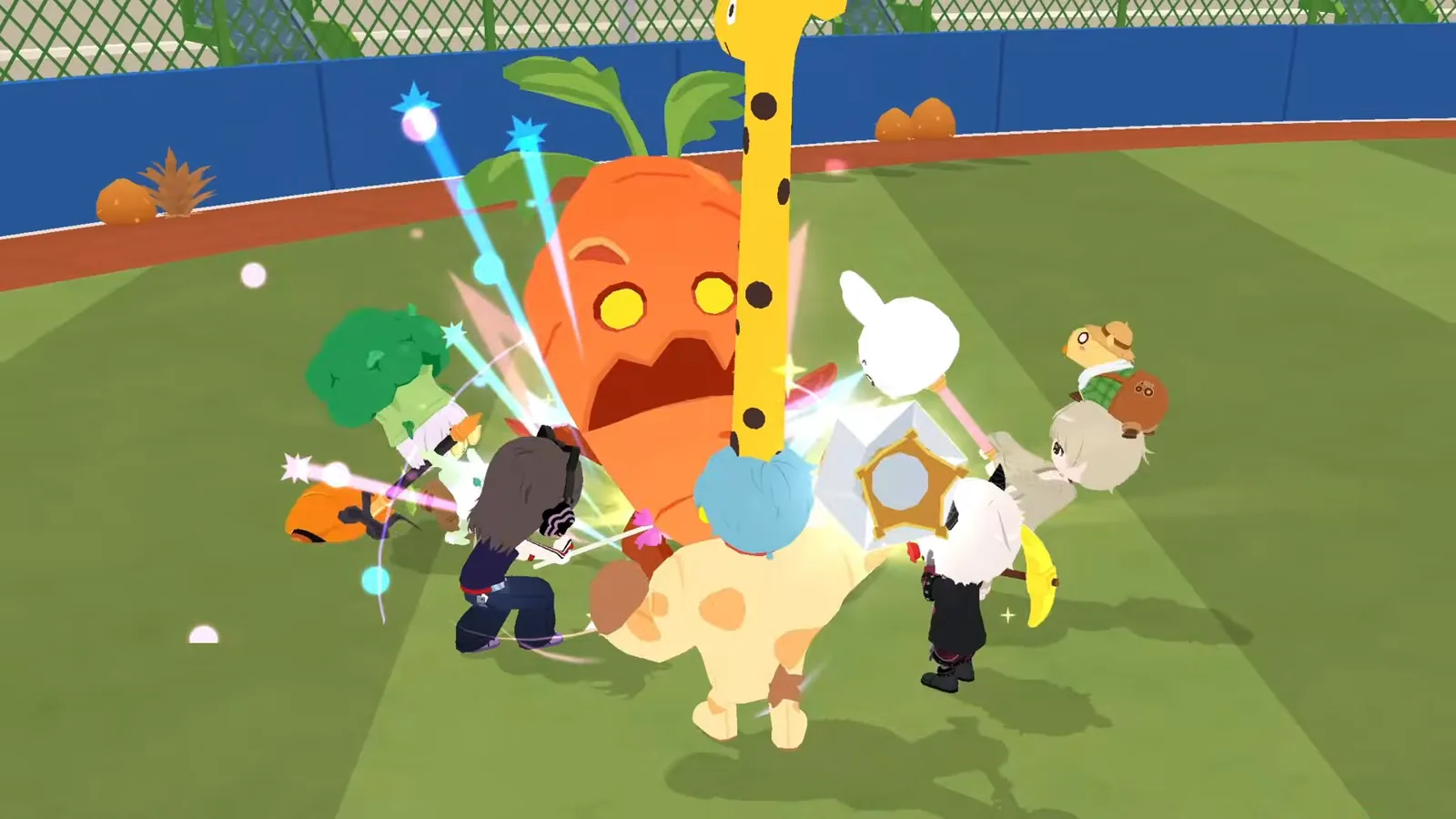
- Giant Veggie Event: until 14 October 2026, 23:59 UTC. Defeat Giant Veggies in the Plaza and Downtown.
- Giant Chestnut Contest: 3–10 October 2026 (UTC). Only crops harvested during the contest count.
- Maple Tree Contest: 17–26 October 2026 (UTC).
- BT21 Card Collection: 11 October – 20 November 2026 (UTC).
What to look for in a Play Together cloud phone
| What matters for Play Together | AFKPal |
|---|---|
| A region close to you | Singapore, Malaysia, Japan, the US, Germany and Brazil |
| A dedicated device for your account | One private cloud phone per plan, never shared |
| Official Google Play for either version | Full Google Play services on board |
| Stays open after you close the app | Online 24/7 for the whole billing period |
| Quick check-ins from anywhere | iOS, Android and web browser |
| More than one account | Add another plan for another phone |
What AFKPal does — and what it does not do
AFKPal provides the cloud phone, its storage, Google Play, and encrypted remote viewing and control. It does not modify Play Together, inject code, run bots, macros or auto-clickers, bypass anti-cheat, or guarantee catches, rewards or progress.
Play Together's own Google Play listings warn that illegal programs, modified apps and other unauthorized methods can lead to service restrictions and account removal. Play by hand, follow HAEGIN's or VNG's terms — including their rules on multiple accounts — and keep your login safe. AFKPal is the always-on phone; Play Together remains the game.
Play Together FAQ
Is AFKPal a good cloud phone for Play Together?
Yes. Both the global version and Play Together VNG install from their official Google Play listings on AFKPal's dedicated cloud phones, stay open 24/7 after you close the app, and you can place the phone in Singapore, Malaysia, Japan, the US, Germany or Brazil — whichever is closest to you.
Does Play Together keep running when I close AFKPal?
Yes. Closing the viewer only stops the stream. The cloud phone and the game keep running until you stop them. Play Together has no official auto mode, so your avatar won't fish or play minigames on its own — the game is simply open and ready when you come back.
Which version and AFKPal region should I pick for Play Together?
In Vietnam, Indonesia, Thailand or the Philippines, install Play Together VNG on a Singapore or Malaysia cloud phone. Everywhere else, install the global version and pick the AFKPal region closest to you: Brazil for South America, the US for North and Central America, Germany for Europe, Japan for East Asia, and Singapore or Malaysia for the rest of Southeast Asia.
Can AFKPal auto-fish in Play Together?
No. AFKPal doesn't run macros, auto-clickers or bots, and Play Together's listing warns that unauthorized programs can get accounts restricted. The cloud phone keeps the game ready; you do the fishing.
Can I run more than one Play Together account?
Each AFKPal plan is one cloud phone, so two accounts open at once means two phones. Check HAEGIN's or VNG's current rules on multiple accounts first.
Official information
Checked against HAEGIN's and VNG's official listings and notices on 2 October 2026.
- Developer: HAEGIN Co., Ltd. Global Android package:
com.haegin.playtogether(Play Together: Friends & Party). Free to play, with optional in-app purchases. - Play Together VNG: published by VNG (VNG GROUP JSC on Google Play). Android package:
com.vng.playtogether. VNG runs it for Vietnam. Publishing and live service for Indonesia, Thailand and the Philippines moved from HAEGIN to VNG, with account transfers open from the 9 July 2026 maintenance until 26 November 2026, per HAEGIN's latest notice. - Content: 600+ fish species, 300+ insect species, fossils and ores, Home Parties, pets, and minigames including Game Party (up to 30 players), Obby Race, Zombie Virus and Tower of Infinity.
- Current update (1 October 2026): Giant Veggie Event, farm expansion with roaming pets, new fall crops with crop contests, and a BT21 card collection. Home Town now holds up to 4 players at once, down from 6.
- Rules: both official listings warn that illegal programs, modified apps and other unauthorized access methods may lead to restrictions, account removal or claims for damages.
Store availability, events and requirements change. Check the official notices and Google Play listings before relying on time-sensitive details.
Primary sources
- Play Together: Friends & Party on Google Play — Google Play / HAEGIN
- Play Together VNG on Google Play — Google Play / VNG
- Play Together official game page — HAEGIN
- Play Together VNG features: fishing, Game Party, school life (official site) — VNG
- Play Together VNG introduction: currencies and daily missions (official site) — VNG
- Play Together VNG guide: protecting and restoring guest accounts (official site) — VNG
- [Notice] Service Transfer for Indonesia, Thailand, and the Philippines — HAEGIN
- [Notice] Transfer Now! Play Together VNG account transfers until November 26 — HAEGIN
- [Update] September 30 Preview of the Upcoming Update (Giant Veggie Event) — HAEGIN
- Link your account, Protect your play! (official video) — Play Together on YouTube
Game publishers can change events, eligibility, and menus. Official notices take precedence over this tracker.