The Tower - Idle Tower Defense cloud phone — AFK 24/7 on AFKPal
The Tower runs on AFKPal. Link your account, install the official Google Play build on a cloud phone near you, and let long runs keep going while your own phone stays free.
The Tower is supported on AFKPal
Install the official Google Play release on your dedicated AFKPal cloud Android, use the game's built-in farming features, and disconnect without stopping the cloud phone.
The Tower runs on AFKPal — around the clock
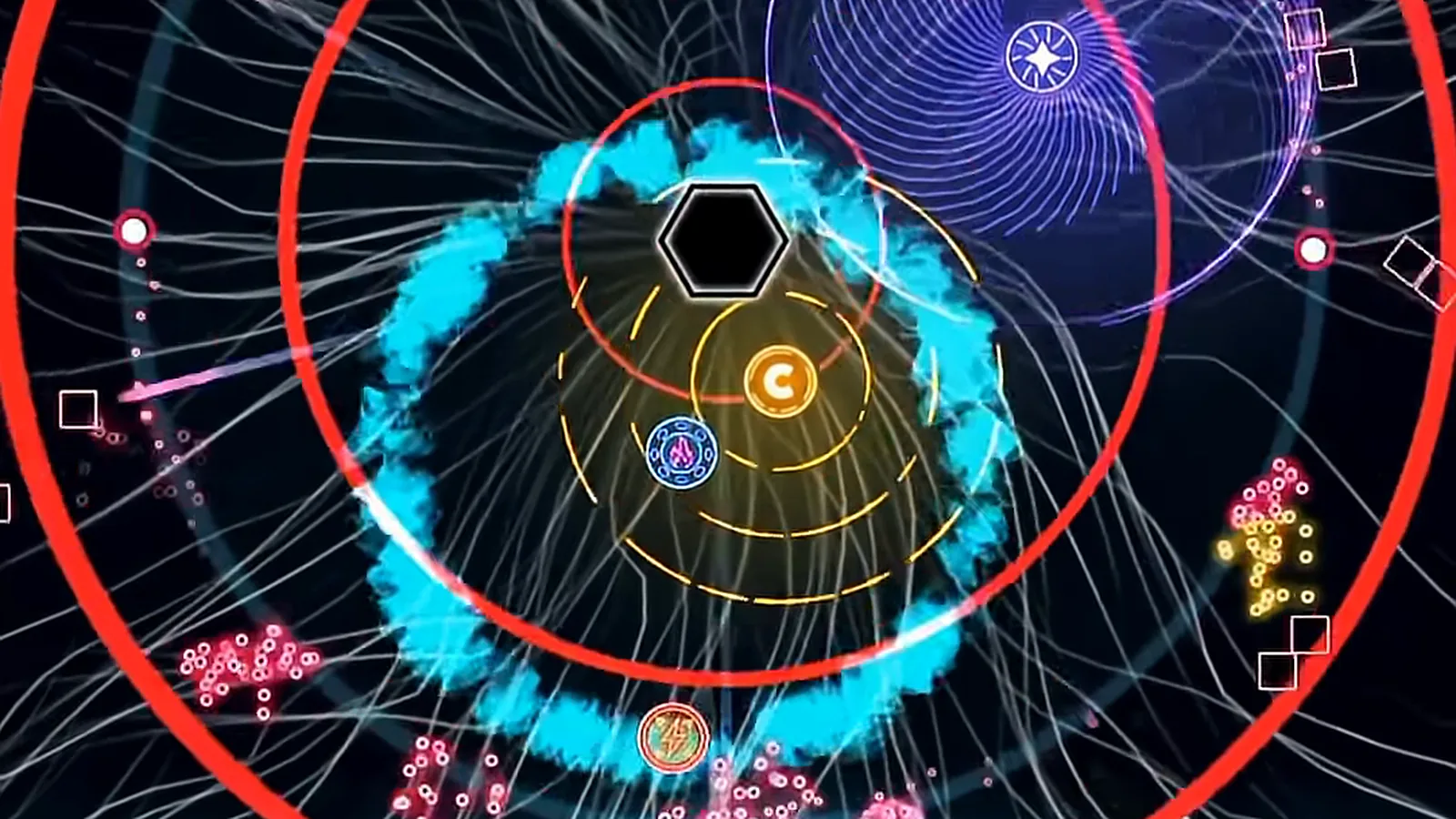
Tech Tree Games' The Tower - Idle Tower Defense is tower defense with one tower: you hold off endless waves of enemies, spend coins on permanent Workshop upgrades, research new upgrades in the Labs, collect cards and compete in live tournaments for Ultimate Weapons. Late-game runs get long. In v28, Tech Tree Games added Overheat — unlocked once you clear Wave 4500 — and said it is "designed to reduce the overall duration of a run."
The Tower runs on AFKPal. Install the official Google Play build on a dedicated cloud phone, start your run, and close the viewer. The game keeps running on the cloud phone while your own phone stays free.
Pick the AFKPal region closest to you
AFKPal runs cloud phones in Singapore, Malaysia, Japan, the United States, Germany and Brazil, and you choose the region when you start your phone. The Tower has no regional game server to choose — your progress lives in your linked Tech Tree Games account — so pick the region closest to where you are. That keeps the stream to your phone or browser responsive.
| Where you play from | AFKPal region |
|---|---|
| United States, Canada, Mexico | United States |
| Europe | Germany |
| Brazil and the rest of South America | Brazil |
| Southeast Asia, Australia | Singapore or Malaysia |
| Japan, Korea, Taiwan, Hong Kong | Japan |
Why The Tower fits an AFKPal cloud phone
The Tower has two clocks. Labs are the idle part: the official listing says you "continue to unlock new research while idle or playing active." Battles are different — a run is played live in the app. If the app closes or restarts mid-run, you pick the run back up with Resume Round, and since v28.0.6 a resume after an app restart sets you back 5 waves (50 with Intro Sprint), with no currency earned during those waves. Runs can only be resumed a limited number of times.
So the long, deep runs need the game open for hours. On your daily phone, that ties up the screen, heats the device, drains the battery, and any restart costs you waves. Even the official Tower Tea blog signs off hoping you "never accidentally close the game during a pb run" — a personal-best attempt.
With AFKPal, The Tower runs on a separate Android phone in the cloud:
- Your main phone stays free. Closing the AFKPal viewer does not close the cloud phone or the game.
- Runs continue 24/7. The cloud phone stays powered and online while you work or sleep. The Tower still needs its app running — this is leave-on play, not an offline idle timer.
- No battery drain or heat on your device. Your phone only streams the screen while you watch.
- Your setup persists. The game, your login and settings stay on your dedicated cloud phone between sessions.
- Check in from anywhere. Reconnect from iOS, Android or a modern browser.
- Official Google Play install. Use Tech Tree Games' listing, not an APK mirror.
How to set up The Tower on AFKPal
- On the device you play on today, link your game account first: tap the gear icon, open Account and add an email address and password. Tech Tree Games' FAQ notes that a Google Play account alone does not carry your save.
- Create or sign in to your AFKPal account and start a cloud phone in the region from the table above.
- Open the cloud phone from the AFKPal app or the web dashboard.
- Open Google Play, search for The Tower - Idle Tower Defense, and check the developer (Tech Tree Games) and the package:
com.TechTreeGames.TheTower. - Install and open the game, then go to Menu → Account → Change Account and sign in with the email and password you linked. Use Change Account, not Link Account, for an existing save.
- Set up your build — Workshop, cards, modules — pick your Tier and start the battle.
- Close the AFKPal viewer. Don't power off or restart the cloud phone — The Tower keeps running there.
- Come back to spend coins, queue new Labs, adjust your build and start the next run.
A practical leave-on routine
Pick a Tier your tower can hold for a long time. A slightly easier farming run that lasts all night is usually worth more than a push that ends early. Queue your Labs before you disconnect, since research keeps ticking either way.
Plan around tournaments. There are two each week, and Tech Tree Games has said pausing a Tier run to enter a tournament is a goal it is still working toward — so time your long farming runs to finish before the tournament you want to play. Once you reach Tier 11 Wave 60, the Global Presets lab lets you save a farming build and a tournament build and switch between them quickly.
Avoid restarting mid-run. Every resume after an app restart costs 5 waves, which is exactly what an always-on cloud phone helps you avoid. Save game updates and restarts for the gap between runs.
What to look for in a The Tower cloud phone
| What matters for The Tower | AFKPal |
|---|---|
| Keeps the run going after you close the app | Online 24/7 for the whole billing period |
| A dedicated device | One private cloud phone per plan, never shared |
| Official Google Play | Full Google Play services on board |
| A responsive stream | Six regions: Singapore, Malaysia, Japan, US, Germany, Brazil |
| Check runs anywhere | iOS, Android and web browser |
| More than one account | Add another plan for another phone |
What AFKPal does — and what it does not do
AFKPal provides the cloud phone, its storage, Google Play, and encrypted remote viewing and control. It does not modify The Tower, inject code, run third-party bots or macros, bypass anti-cheat, or guarantee waves, rewards or progress.
Tech Tree Games' Code of Conduct forbids cheating, exploiting bugs, automating gameplay and third-party tools. Play with the game's own features, keep your account login safe, and follow its rules. AFKPal is the always-on phone; The Tower remains the game.
The Tower FAQ
Is AFKPal a good cloud phone for The Tower?
Yes. The Tower runs on AFKPal's dedicated cloud phones from the official Google Play build, stays online 24/7 after you close the app, and you can place the phone in Singapore, Malaysia, Japan, the US, Germany or Brazil — whichever is closest to you.
Does The Tower keep running when I close AFKPal?
Yes. Closing the viewer only stops the stream. The cloud phone and your run keep going until you stop them. If the game itself is restarted mid-run, for example to install an update, Resume Round sets you back 5 waves.
Which AFKPal region should I pick for The Tower?
The one closest to you. The Tower has no regional servers to match, so the region only affects how responsive the stream feels: the United States for North America, Germany for Europe, Brazil for South America, Singapore or Malaysia for Southeast Asia, and Japan for East Asia.
Can I play The Tower on my phone and on AFKPal?
Yes, with a linked account. Sign in on the cloud phone with Menu → Account → Change Account. Tech Tree Games recommends being online and forcing a save before you switch devices, so you don't lose progress.
Can I run more than one The Tower account?
Each AFKPal plan is one cloud phone, so two accounts running at once means two phones. Check Tech Tree Games' current rules before you do.
Official information
Checked against Tech Tree Games' listings, FAQ and patch notes on 2 October 2026.
- Developer: Tech Tree Games (Tech Tree Games LLC on the App Store). Available on Android and iOS.
- Google Play: package
com.TechTreeGames.TheTower, Android 8.1 and up, version 29.0.5. Free with ads and in-app purchases; 5M+ downloads. - Core features (official listing): Workshop upgrades bought with coins, Labs research that continues while idle, a card collection, and live tournaments against other players to unlock Ultimate Weapons.
- Account: link an email address and password in Settings → Account to protect your save and play on more than one device.
- v28 (April 2026): added Overheat, unlocked after clearing Wave 4500, to shorten very long runs. v28.0.6 made a resume after an app restart set you back 5 waves (50 with Intro Sprint).
- v29 (August 2026): added Global Presets, the Mythic tournament league (Tier 23+) and a reworked Vault. It also capped Ad Gem claims at 60 per day, which the patch notes say is "to reduce the disparity of gems earned from running the game 24/7."
- Community: the official site at techtreegames.com/thetower posts patch notes and the every-other-week Tower Tea blog, and links the official Discord and the r/TheTowerGame subreddit.
Store availability, game features and requirements change. Check the official Google Play listing and Tech Tree Games' site before relying on time-sensitive details.
Primary sources
- The Tower - Idle Tower Defense on Google Play — Google Play / Tech Tree Games
- The Tower - Idle Tower Defense on the App Store — Apple App Store / Tech Tree Games LLC
- The Tower Home (official site) — Tech Tree Games
- The Tower FAQ: linking your account — Tech Tree Games
- v28 Patch Notes (Overheat after Wave 4500) — Tech Tree Games
- v28.0.6 Patch Notes (Resume Round after an app restart) — Tech Tree Games
- v29 Patch Notes - August 25, 2026 — Tech Tree Games
- Tower Tea - September 14, 2026 — Tech Tree Games
- Tech Tree Games Community Code of Conduct — Tech Tree Games
- The Tower Trailer 30s 2026 (official video) — Tech Tree Games on YouTube
Game publishers can change events, eligibility, and menus. Official notices take precedence over this tracker.